


How to Add a Flodesk Showit Form to Grow Your Email List


Okay, so you’ve got the branding. The intentional vibe. The products or services that make people say, “This is so me.” Now all you need? A Flodesk Showit form to start building your email list and staying connected—without getting lost in the Instagram algorithm.
Big whoop. Listen to this:
You’re still at the mercy of the Instagram algorithm. One day you’re in front of everyone’s eyeballs, the next… crickets. Ghosted by the feed. Again.
And that, my friend, is why email marketing enters the chat like a caped hero with herbal tea in hand. (Sounds *strangely* familiar… any Marvel fans getting the reference?)
This step-by-step guide will walk you through how to add a Flodesk Showit form to your site—without needing to decode tech hieroglyphics or cry into your sourdough starter. Just beautiful, breezy steps that get you from invisible to irresistibly in their inbox.
First Things First: What Even Is Flodesk?
Flodesk is what happens when a tech platform and a lifestyle magazine fall in love and have a baby. This is an email marketing platform built for the aesthetically obsessed—aka you.
It’s dreamy. It’s intuitive. It doesn’t look like it was built in 2009. And most importantly, it won’t make you rage-quit the internet.
Why creatives (especially the ones who light a candle before replying to emails) love Flodesk:
- Drag-and-drop email builder = zero meltdowns (or procrastination sessions)
- Minimal, modern templates that feel like you
- Easy automations that do the heavy lifting while you’re off being peaceful
- Beautiful forms and workflows that don’t feel salesy
Oh—and did I mention it’s affordable? With THIS LINK, you get 50% off your first year. That’s the kind of discount that deserves a handwritten thank-you note or at least a loaf of banana bread.
So… What’s Showit, and Why Are We All Obsessed?
Let me put it this way: if Flodesk is the sophisticated, artsy friend who sends handwritten letters, Showit is the wildflower-growing, always-color-coordinated bestie who makes everything she touches look like a Pinterest board.
Showit is a no-code, drag-and-drop website builder that lets you design freely (like, literally move things wherever you want). It’s perfect for people like you—creative, intentional, not about that cookie-cutter life.
Here’s why Showit is a no-brainer for simple-living brands:
- You don’t need to know a single line of code (bless)
- You get total creative control (we’re talking fonts, placement, flow—everything)
- Mobile designs aren’t an afterthought—they’re built in
- It integrates seamlessly with WordPress for blog SEO magic
Also… I’ve got a lil’ treat for you: use THIS LINK to get your first month free. That’s one month of “holy wow, this is amazing” without the pressure of a long-term commitment.
Why Flodesk + Showit = Best Way to Grow An Email List
You know those couples that just make sense? Like Meg Ryan and a chunky sweater? Or Tom Hanks and Wilson the Volleyball? That’s Flodesk + Showit.
You’re already creating a brand experience that feels cozy, intentional, and alive. These two platforms amplify that by making the tech side as seamless and beautiful as the front end.
- Flodesk’s forms are elegant and branded out of the box
- Showit lets you place them exactly where you want
- Together? They let your audience fall in love with your brand and then actually stay connected without relying on the mood swings of social media
The two were meant for eachother. And you were meant to find them. How about we call this… destiny?
Step 1: Create Your Flodesk Showit Form
Before we touch Showit, you’ve gotta create the actual form that will collect all those lovely email addresses. Think of this like setting out a warm cup of tea for your audience.
Here’s how:
- Head into your Flodesk dashboard.
- Under the Audience tab click Segments.
- Click + New Segment. Name your new segment accordingly.
- Click on the Forms tab.
- Click + New Form.
- Choose Inline (to embed on a page) or Pop-up (to surprise your audience mid-scroll).
- Customize it to match your brand.
- Connect it to a segment so you know exactly where each subscriber came from.
- In the top right-hand corner click Embed and copy the code snippet Flodesk gives you.
Watch the video below for a visual learning experience!
Step 2: Add Your Flodesk Showit Form in Showit (This Part Is Shockingly Easy)
Okay, now it’s time to connect your new Flodesk form to Showit.
- Open up your Showit dashboard.
- Choose the canvas where you want the form to live (could be your homepage, footer, blog post—wherever people will see it).
- Click the Embed Code icon (
</>) from the toolbar. - Paste your Flodesk code into the box that pops up.
- Hit Save, and Preview your page to see your form shining like the golden-hour light on a linen dress.
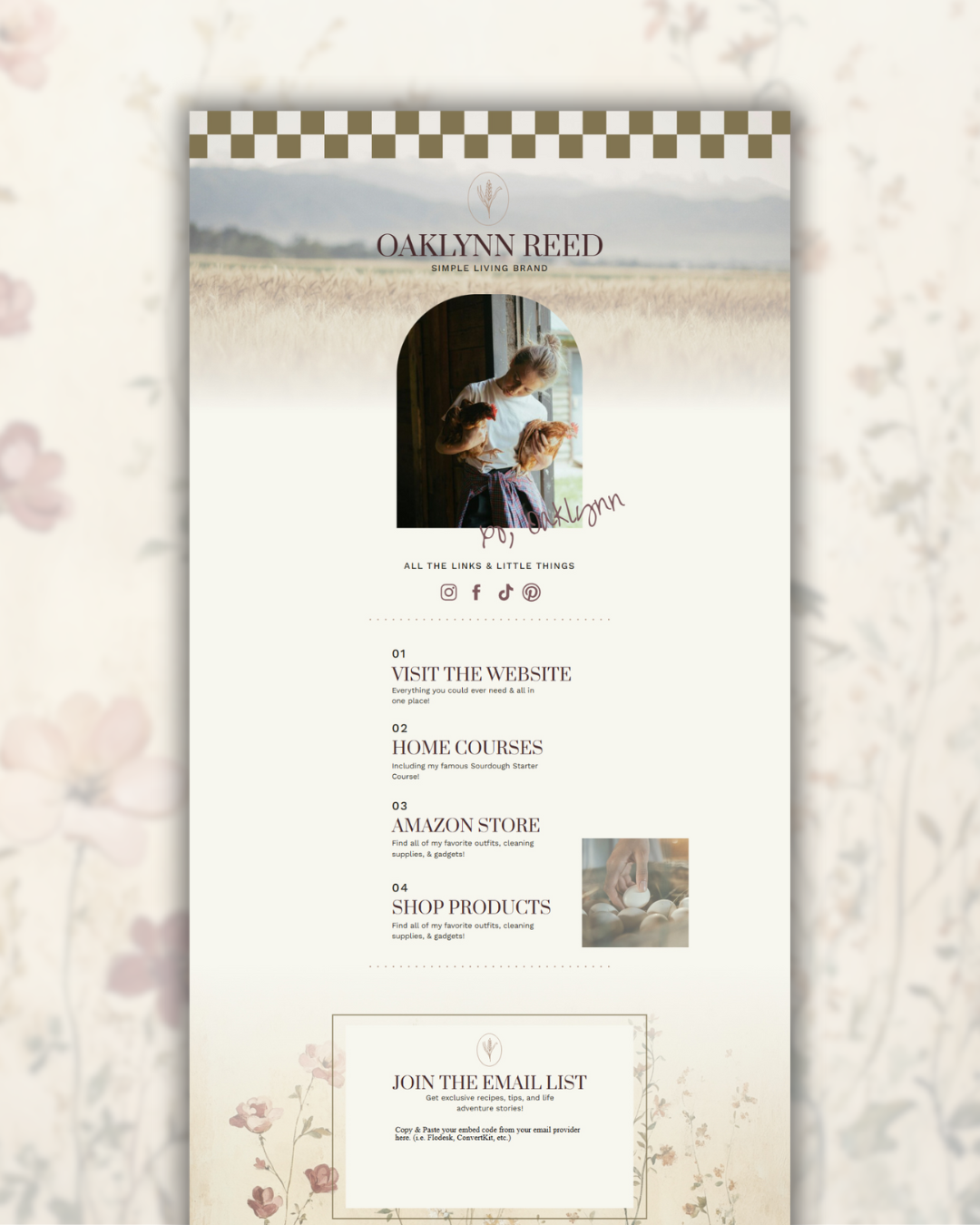
P.S. Here is a link to the FREE Link in Bio page I am working on in the video below!
Bonus Tips to Make That Form Convert Like Crazy
We’re not just here for a form—we’re here for results. So let’s make sure yours doesn’t just sit there looking pretty (though it will), but actually turns casual browsers into subscribers with purpose.
Right now? The highest-converting forms are doing one thing really, really well:
They’re helping people save money.
Because as much as we all love dreamy freebies, that “20% off” offer? It’s speaking to the soul (and the wallet).
Here’s how to make your form actually work for you:
- Lead with a money-saving headline:
→ “Get 15% off your first order” or “Unlock exclusive pricing just for email insiders” will convert way better than “Join my newsletter.” - Add urgency:
→ “This discount disappears in 48 hours” or “Only for the first 100 subscribers” adds that gentle nudge we sometimes need to type in our email. - Keep it simple:
→ Just ask for a first name + email. No one wants to give their dog’s maiden name just to save five bucks. - Make the offer feel personal:
→ “As a thank you for joining my cozy corner of the internet…” adds warmth and trust to a transactional offer. - Place it where it makes sense:
→ Try a pop-up when someone goes to exit, an inline form mid-scroll on a product page, or a banner at the top of your homepage.
Remember: most people need a reason to pause and share their info. A discount is a love language in today’s economy. Pair it with your voice, brand vibe, and a beautiful Showit layout? You’ve got yourself some conversions.
After the Embed: What Happens Next?
Once someone fills out your form, Flodesk handles everything else—like the organized, effortlessly cool assistant we all deserve.
Subscribers get added to your segment. They receive the welcome email or freebie you’ve connected to your workflow. And you? You just made a new connection while sipping coffee in your favorite mug and checking the sourdough.
That’s the beauty of automating your marketing with tools that feel like you.
Final Thoughts (aka Your “You’ve Got Mail” Moment)
There’s something undeniably powerful about showing up for your people in their inbox. It’s personal. It’s cozy. It’s not at the mercy of the scroll.
By embedding your Flodesk form in Showit, you’re making space for deeper relationships, dreamier conversions, and a brand experience that feels like sitting on the porch at golden hour. Warm, intentional, unforgettable.
Ready to start?
- Try Flodesk for 50% off your first year: CLICK HERE
- Try Showit free for a whole month: CLICK HERE
Got questions? DM me on Insta @diywebstudio and I’ll be your guide through all the tech-y stuff.
Need a dreamy link-in-bio template to match your new vibe? You already know I’ve got you covered.
FILED UNDER:

Sent straight to your inbox, this guide will help the right people find you on Google!
GOOGLE MY BUSINESS SETUP GUIDE
GRAB THE FREEBIE
YOU MIGHT ALSO LIKE THESE:
portfolio

SEO & Marketing

READ MORE
personal
Create Your Own Website Therapist Easily: Meet Shayna

behind-the-scenes secrets to crafting a show-stopping website